
You’re walking through a busy street, filming on your iPhone. The light is perfect, the moment feels right—and then you watch the clip back and notice the shake. If you’re searching for what is the best iPhone gimbal in 2026, that frustration probably sounds familiar. iPhone cameras have reached near-pro levels, but handheld video still falls apart once you start moving. A good gimbal fixes that instantly, adding stability, smarter framing, and fluid motion that handheld shooting can’t match. This guide focuses on what actually matters when choosing an iPhone gimbal today, with a clear look at how newer options like Insta360 Flow 2 Pro perform in real-world use.
What Makes an iPhone Gimbal the Best?
Plenty of gimbals claim smooth footage. The best ones in 2026 earn that title by combining strong stabilization, dependable software, and a design that doesn’t slow you down when you’re ready to shoot.
Stabilization quality and motor performance
Stabilization is non-negotiable. As iPhones add larger sensors and heavier camera modules, weak motors struggle to keep up. A capable gimbal should stay locked in during brisk walking, light jogging, and directional changes without visible jitter or a drifting horizon.
The best iPhone gimbal for video stabilization also responds instantly. Delayed motor correction shows up as micro-shakes, especially in action shots or spontaneous moments. Look for models tested with recent iPhone generations and realistic payloads, not just bare phones.
Smart features like AI tracking and auto modes
Software is where modern gimbals either shine or fall flat. AI subject tracking lets the camera follow you automatically, which is invaluable if you film alone. Tutorials, dance videos, and talking-head content become far easier when framing takes care of itself.
Modes like follow, lock, and POV aren’t just buzzwords—they shape how your footage feels. When researching the best iPhone gimbal with AI tracking, check whether tracking stays reliable in low light or busy backgrounds, not just ideal studio conditions.
Build quality, portability, and battery life
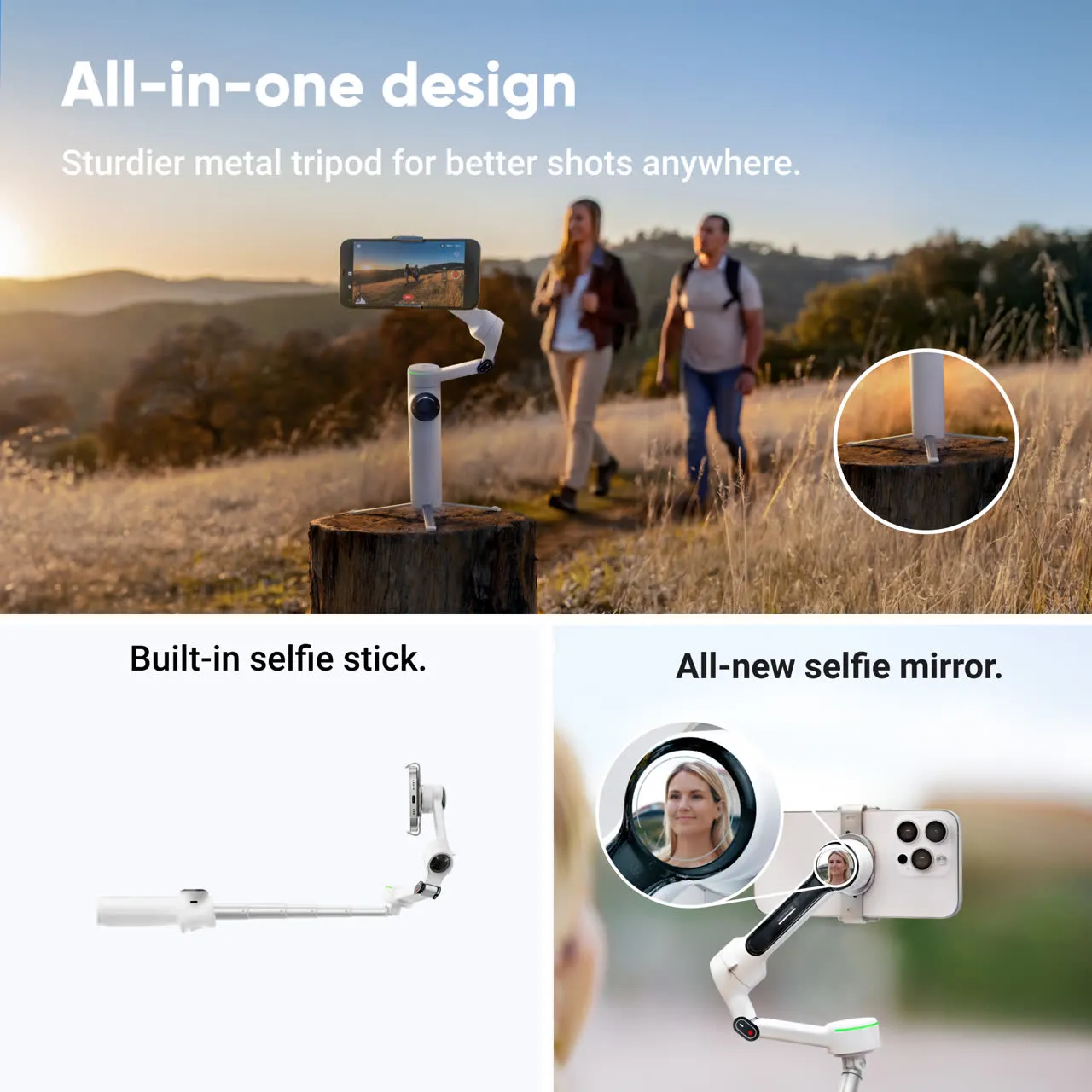
A gimbal should feel sturdy, not fragile, but it shouldn’t feel like extra baggage either. Foldable designs and lighter materials make a real difference if you carry your gear daily or travel often.
Battery life matters more than spec sheets suggest. Long shoots drain power quickly, and stopping to recharge breaks momentum. The best gimbals last for hours and recharge fast enough that downtime stays minimal.
Common Use Cases for iPhone Gimbals
Your shooting style should guide your choice. Different creators lean on different features, and no single gimbal excels at everything equally.
Vlogging, YouTube, and TikTok content
For social content, speed wins. You want to unfold the gimbal, mount the phone, and start recording in seconds. That’s why so many people search for what is the best iPhone gimbal for vlogging rather than the most advanced model on paper.
Face tracking, gesture controls, and native vertical shooting make a noticeable difference for TikTok and Shorts. Fewer retakes. Cleaner framing. Less time fighting the gear.
Travel videos and everyday shooting
Travel exposes weak designs quickly. If a gimbal is bulky or slow to set up, it won’t leave your bag. Compact models that deploy fast are far more likely to capture moments as they happen.
Anyone looking for the best gimbal for iPhone travel videos should prioritize foldability, solid battery life, and motors that handle uneven ground like stairs, trails, or old city streets.
Professional mobile filmmaking and client work
Client work raises the stakes. You need predictable results, smooth pans, and compatibility with professional camera apps. Novelty features matter less than consistency.
At this level, a gimbal becomes a production tool. Adjustable motor strength, fine-tuned follow speed, and reliable balance all show up in the final footage.
How Insta360 Flow 2 Pro Fits Modern iPhone Creators
Insta360 Flow 2 Pro has built momentum among iPhone users by focusing on everyday usability rather than feature overload. The design philosophy is simple: useful tools, minimal friction.
AI-powered tracking and hands-free shooting
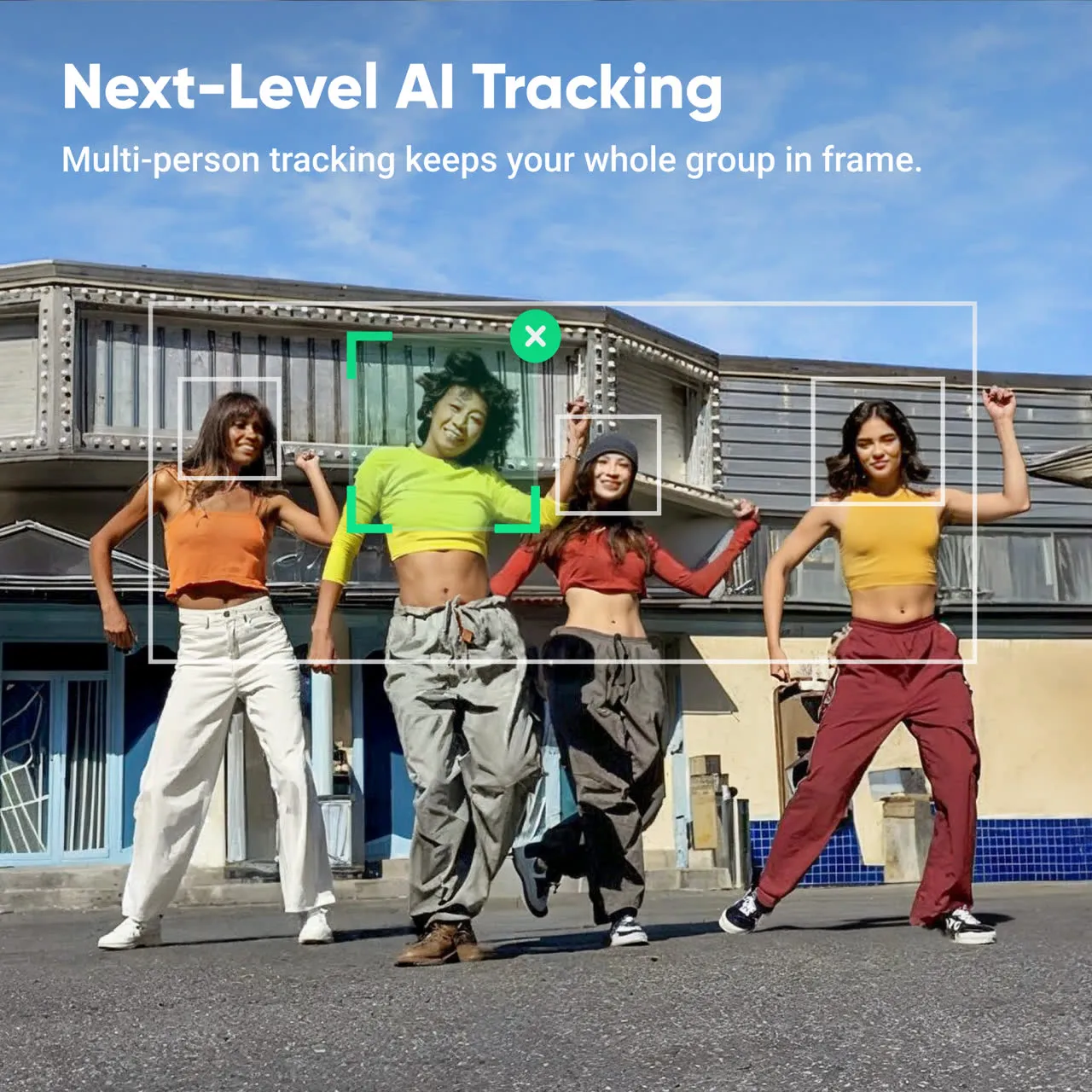
AI tracking is where Insta360 Flow 2 Pro stands out. It locks onto faces and bodies with surprising consistency, even when the subject changes direction or speed. Hands-free shooting feels practical instead of gimmicky.
For solo creators, that means fewer stops and more natural delivery. It’s an appealing option for anyone comparing the best iPhone gimbal with AI tracking for real-world filming, not staged demos.
Stabilization performance with newer iPhone models
Modern iPhones push gimbal motors hard, and Insta360 Flow 2 Pro is tuned with that reality in mind. It handles larger phones without constant rebalancing or motor strain.
In use, walking shots stay controlled and movement feels deliberate rather than floaty. It works smoothly with Apple’s native camera app and integrates well with popular third-party options.
Ease of use for beginners and advanced users
Setup is fast, and the learning curve is short. Most users can access key features without digging through layers of menus.
When you want more control, it’s there. Adjustable settings give experienced creators room to refine their shots, which answers the common question of whether Insta360 Flow 2 Pro is worth it for iPhone users planning to grow their skills.
Insta360 Flow 2 Pro vs Other Popular iPhone Gimbals
The iPhone gimbal market is crowded, and most major brands offer solid stabilization. The real differences show up once you start using them day after day.
Feature comparison and real-world differences
In an iPhone gimbal comparison, Insta360 Flow 2 Pro often pulls ahead on tracking reliability and intuitive controls. Some competitors match its stabilization but demand more manual tweaking.
Others pack in extra modes that look impressive but rarely get used. For many creators, dependable performance beats a long feature checklist.
Portability, setup time, and learning curve
Quick setup is easy to underestimate. Insta360 Flow 2 Pro unfolds and balances fast, which matters when moments don’t wait.
Compared with more complex rigs, the learning curve is gentler. That combination appeals to beginners searching for the best iPhone gimbal for beginners while still satisfying experienced users.
For a broader view of mobile video workflows, resources like Apple’s iPhone filmmaking tips and the YouTube Creator Hub offer helpful context on how stabilization tools fit into modern content creation.
Conclusion
Finding what is the best iPhone gimbal in 2026 comes down to how you shoot and how much friction you’re willing to tolerate. The right choice delivers smooth stabilization, dependable tracking, and a design that feels natural to use. Insta360 Flow 2 Pro stands out by pairing advanced features with an approachable experience, making it a strong option for a wide range of iPhone creators. If smoother footage and easier shooting sound appealing, start by matching a gimbal’s strengths to your shooting style—and then put it to work.
FAQs
What is the best iPhone gimbal for beginners?
Beginners benefit most from gimbals with quick setup, straightforward controls, and reliable automatic modes. Options like Insta360 Flow 2 Pro are popular because they deliver polished results without a steep learning curve.
Does an iPhone gimbal really improve video quality?
Yes. Built-in stabilization helps with small hand movements, but a gimbal adds mechanical stabilization that smooths motion while walking, panning, or tracking subjects. The difference is immediately visible.
Is Insta360 Flow 2 Pro compatible with the latest iPhones?
Insta360 Flow 2 Pro is designed to support newer, larger iPhone models. It works well with Apple’s native camera app and many third-party video apps.
Do I need a gimbal if my iPhone has built-in stabilization?
Built-in stabilization handles minor shake, but it can’t replicate the fluid motion of a gimbal. If your videos involve movement, tracking, or cinematic pans, a gimbal makes a clear improvement.